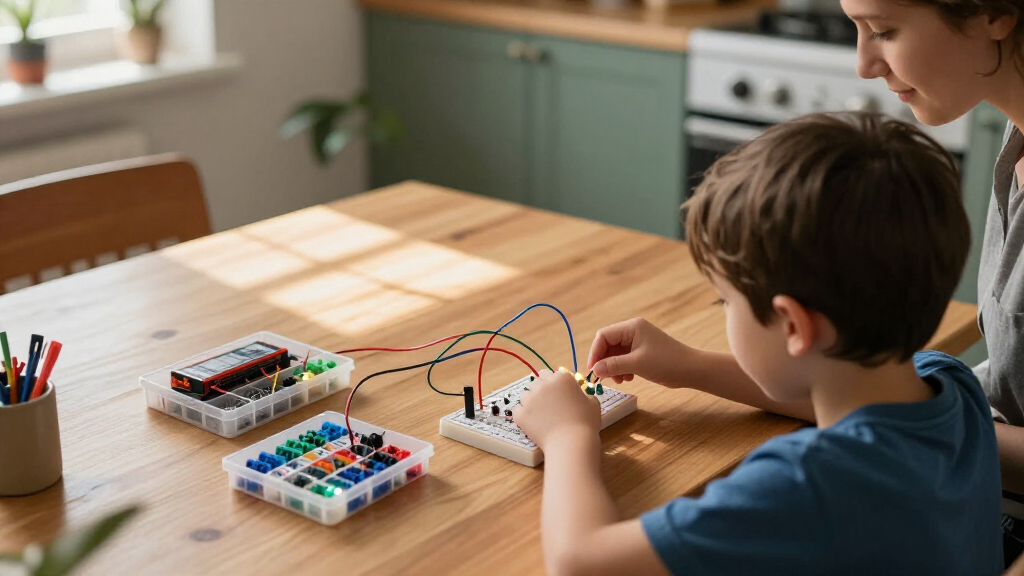

Choosing among beginner electronics kits for kids comes down to three questions: how old your child is, how much supervision they need, and whether you want play-based learning or a pathway into real engineering. The Snap Circuits Classic SC-300 earns my best overall pick for its balance of safety, project depth, and room to grow, while the Snap Circuits Beginner SCB-20 is the smarter entry point for ages 5–7 and the ELEGOO UNO R3 Super Starter Kit is the clear choice once a child is ready for actual coding and programming. The main tradeoff in this category is between friction-free snap-together kits that teach concepts fast and component-based kits that teach real wiring skills but demand more patience and adult help. Younger kids also need kits with forgiving, mistake-proof connections, while older kids quickly outgrow projects that feel like toys. Below is the full breakdown of all 11 kits, including who each one is for and who should skip it.

Get school and study supplies delivered free — and shop member deals
- Fast, free delivery on millions of items
- Access to Prime Big Deal Days deals on October 6–7
- Prime Video, Amazon Music and more included
Key Takeaways
- The Snap Circuits family dominated the top of this comparison because its snap-together modules eliminate wiring errors entirely — the single biggest frustration point for young beginners — while still teaching genuine circuit logic.
- Age ratings on the box matter less than connection type: kits with spring terminals or snap modules (Snap Circuits, Science STEM Kits) suit ages 5–8, while breadboard and solder-adjacent kits (ELEGOO, Poraxy) realistically need a child of 10+ or an involved parent.
- Project count is a misleading spec. The Science STEM Kit’s ‘1200 projects’ are largely variations of the same circuits, whereas the Butterfly EduFields 10-in-1 delivers ten genuinely different builds — more replay value per project.
- The ELEGOO UNO R3 is the only kit here that teaches programming, not just circuits, making it less a toy and more an investment in a coding hobby — but it is the wrong first kit for a child under 10.
- Single-project kits like the Poraxy FM Radio cost less but have a hard ceiling: once built, the learning stops. Multi-project kits cost more upfront but hold attention for years, which is the better value in most households.
| National Geographic Circuit Maker Kit for Kids, 60+ Projects |  | Best Hook for Reluctant Learners | Brand: Blue Marble (National Geographic) | Age range: 8 years and up | Projects: 60+ | VIEW LATEST PRICE | See Our Full Breakdown |
| Science STEM Kits for Kids, Electronics Exploration Kit, 66 Pcs, Over 1200 Projects |  | Best Value for Project Variety | Pieces: 66 circuit parts | Projects: 1200+ | Recommended age: 8-12 years (box also lists ages 3+) | VIEW LATEST PRICE | See Our Full Breakdown |
| Snap Circuits Jr. SC-100 Electronics Kit, 100+ Projects, Ages 8+ |  | Best Overall | Model: SC-100 | Projects: 100+ | Recommended age: 8 years and up | VIEW LATEST PRICE | See Our Full Breakdown |
| Snap Circuits Classic SC-300 STEM Electronics Kit, 300+ Projects, Ages 8+ |  | Best Long-Term Growth Pick | Model: SC-300 | Project count: 300+ | Included pieces: 60+ | VIEW LATEST PRICE | See Our Full Breakdown |
| ELEGOO UNO R3 Super Starter Kit with PDF Tutorial |  | Best for Future Coders | Controller: UNO R3 (Arduino-compatible) | Guided lessons: 22+ | Sensors: Ultrasonic and DHT11 | VIEW LATEST PRICE | See Our Full Breakdown |
| Klever Kits Space Circuits Electronics Kit for Kids, 46+ Components and 50+ Projects |  | Best Themed Kit for Young Learners | Brand: Klever Kits | Model: 60245 | Components: 46+ | VIEW LATEST PRICE | See Our Full Breakdown |
| Butterfly EduFields 10-in-1 STEM Electronics Robotics Kit for Kids Ages 8-12 |  | Best Bridge to Robotics | Kit Type: 10-in-1 STEM robotics and electronics kit | Recommended Age: 8-12 years | Components: 100+ including wires, switches, connectors, and LED lights | VIEW LATEST PRICE | See Our Full Breakdown |
| GadgetGlee STEM Electric Circuit Kit for Kids |  | Best for Science Fair Projects | Brand: GadgetGlee | Model: DP501 | Experiments: 8 | VIEW LATEST PRICE | See Our Full Breakdown |
| Snap Circuits Beginner SCB-20 STEM Electronics Kit for Kids Ages 5-9 |  | Best First Electronics Kit | Recommended Age: 5-9 years | Projects: 21 | Assembly System: Snap-together child-safe components | VIEW LATEST PRICE | See Our Full Breakdown |
| Poraxy DIY FM Radio Science Kit for Kids |  | Best Single-Project Build | Project Type: Single-build DIY FM radio | Radio Frequency Range: 87-108 MHz | Material: Precision laser-cut wood | VIEW LATEST PRICE | See Our Full Breakdown |
| Sntieecr STEM Electric Circuit Motor Kit, Science Experiment Educational Kit |  | Best for Open-Ended Science Projects | Recommended Age: 8+ years (choking hazard, not for under 3) | Components Included: Bulbs (5), crocodile clip leads (5), motors (2), motor holders (2), rocker switches (2), propellers (6), buzzer (1), bulb holders, battery holders | Voltage Range: 1.5V–3V (AA batteries) | VIEW LATEST PRICE | See Our Full Breakdown |
| beginner electronics kits for kid | Recommended age | Projects |
|---|---|---|
| National Geographic Circuit Ma | — | 60+ |
| Science STEM Kits for Kids | 8-12 years (box also lists ages 3+) | 1200+ |
| Snap Circuits Jr. SC-100 Elect | 8 years and up | 100+ |
| Snap Circuits Classic SC-300 S | 8+ years | — |
| ELEGOO UNO R3 Super Starter Ki | — | — |
| Klever Kits Space Circuits Ele | 5 years and up | 50+ |
| Butterfly EduFields 10-in-1 ST | 8-12 years | 10 buildable robot models |
| GadgetGlee STEM Electric Circu | 8-12 years | — |
| Snap Circuits Beginner SCB-20 | 5-9 years | 21 |
| Poraxy DIY FM Radio Science Ki | — | — |
| Sntieecr STEM Electric Circuit | 8+ years (choking hazard, not for under 3) | — |
More Details on Our Top Picks
National Geographic Circuit Maker Kit for Kids, 60+ Projects
Not every kid sits down wanting to learn circuitry — some need a flying copter or a levitating ball to get interested in the first place. That’s where this kit earns its spot: the 60+ projects lean heavily on spectacle, and the payoff is instant. Compared with the Snap Circuits Jr. SC-100, which teaches through more traditional builds, the Circuit Maker front-loads the wow factor. The QR-linked video guides also mean a kid who struggles with reading instructions can still follow along independently, something the paper-only manuals in this category don’t offer. The tradeoff is depth — with roughly half the project count of the SC-100 and far less room to grow, kids who get hooked will outgrow this kit faster. Think of it as a gateway product rather than a long-term learning system.
Pros:- Spectacular projects like levitating balls and flying copters create immediate engagement
- QR-linked video instructions support kids who learn better visually
- No tools required, so setup is frustration-free
- Backed by National Geographic’s educational design and reputation
Cons:- Fewer projects than similarly priced kits like the Snap Circuits Jr. SC-100
- Smaller growth path — limited expansion compared to the Snap Circuits ecosystem
Best for: Parents of kids aged 8-10 who haven’t shown interest in STEM and need exciting projects to spark curiosity
Not ideal for: Kids already comfortable with electronics — the 60-project ceiling and simplified builds will feel limiting within weeks
- Brand:Blue Marble (National Geographic)
- Age range:8 years and up
- Projects:60+
- Instructions:Illustrated manual plus QR-linked video guides
- Tools required:None
- Item dimensions:11 x 3 x 12 inches
- Item weight:2 pounds
- Model number:NGCIRCUIT60
Our verdict“A gateway kit for kids who need fireworks before they’ll care about circuits, not a long-term learning investment.”
Science STEM Kits for Kids, Electronics Exploration Kit, 66 Pcs, Over 1200 Projects
On paper, the project count here is staggering: with over 1200 combinations from 66 snap-together pieces, this kit dwarfs the Snap Circuits Classic SC-300’s 300 projects. The honest caveat is that many of those combinations are variations on the same core circuits, so it won’t feel like 1200 genuinely distinct builds — but the creative experimentation ceiling is still the highest in this lineup. Compared with the National Geographic Circuit Maker, this kit trades flashy demos for a classic numbered, color-coded grid system that teaches systematic building. The no-soldering, no-tools setup means an 8-year-old can start the first project within minutes of opening the box. The weaker point is instruction polish: the color manual is functional but less refined than Elenco’s Snap Circuits manuals, which are the category benchmark for clarity.
Pros:- Enormous project library offers the most building variety in the roundup
- Color-coded, numbered pieces snap onto a grid for frustration-free assembly
- No soldering or tools required for instant setup
- Expandable by combining with other component kits
Cons:- Many of the 1200+ projects are minor variations rather than unique builds
- Instruction manual is less clear and refined than Snap Circuits manuals
Best for: Budget-conscious families who want maximum building mileage and a kit that stays interesting for years
Not ideal for: Buyers who prioritize polished, name-brand documentation and long-term warranty support over raw project count
- Pieces:66 circuit parts
- Projects:1200+
- Recommended age:8-12 years (box also lists ages 3+)
- Assembly:Snap-together plastic grid, no tools or soldering
- Instructions:Color project manual
- Material:Plastic
- Item dimensions:11.8 x 10.6 x 3.1 inches
- Item weight:2.3 pounds
Our verdict“The most project mileage per dollar in the roundup, provided you accept a less polished manual.”
Snap Circuits Jr. SC-100 Electronics Kit, 100+ Projects, Ages 8+
This is the pick I’d hand most families, and the reason is simple: it nails the balance between teaching real electronics and keeping an 8-year-old independently engaged. The color-coded, numbered pieces snap onto a grid without tools, and the illustrated manual is arguably the clearest in the entire beginner category — noticeably better organized than the generic STEM exploration kits that promise 1200 projects. Unlike the National Geographic Circuit Maker, which prioritizes spectacle, the SC-100 builds genuine circuit literacy project by project. The main tradeoff is scale: at 100+ projects, ambitious kids will exhaust it, though Elenco sells upgrade kits that convert the SC-100 into larger sets, so the initial investment isn’t wasted. Batteries are required and don’t reliably arrive included, so have AAs on hand before gifting.
Pros:- Industry-standard manual with clear, progressive project instructions
- Color-coded, numbered parts make independent play realistic
- Upgradeable into larger Snap Circuits sets, protecting the initial purchase
- Teaches genuine circuit concepts, not just toy assembly
Cons:- Requires AA batteries that may not be included
- 100+ project ceiling will be exhausted by fast-moving builders
- Listed component count is inconsistently documented
Best for: First-time buyers who want the safest, most proven introduction to electronics for a child aged 8-10
Not ideal for: Kids who burn through projects quickly and families unwilling to buy upgrade kits later — the SC-300 is the better starting point
- Model:SC-100
- Projects:100+
- Recommended age:8 years and up
- Components:28-32 color-coded snap pieces
- Included:Plastic snap-grid, electronic components, project manual
- Tools required:None
- Soldering required:No
- Batteries:Required (2 AA)
Our verdict“The most reliable first electronics kit for most families — proven, clear, and upgradeable.”
Snap Circuits Classic SC-300 STEM Electronics Kit, 300+ Projects, Ages 8+
Where the Snap Circuits Jr. SC-100 is a starter, the SC-300 is a multi-year learning system. With over 60 components and 300+ projects — including genuinely satisfying builds like a working AM radio, doorbells, and alarms — it’s the kit that keeps a curious kid busy through late elementary and into middle school. The instruction book follows the same excellent Elenco format as the SC-100, just with far more depth. Compared with the 1200-project generic exploration kits, the project count looks modest, but each build here is distinct and pedagogically sequenced rather than a variation. The tradeoffs are real: more pieces means more to lose or misalign, younger 8-year-olds may feel intimidated jumping straight to this tier, and batteries are required. Buying the SC-300 first makes sense if you’d rather not buy the SC-100 and upgrade six months later.
Pros:- 300+ genuinely distinct projects with meaningful end results like an AM radio
- Same best-in-category Elenco instruction book, extended for deeper builds
- No tools or soldering needed despite the advanced project range
- Room to grow without needing upgrade purchases
Cons:- More than 60 pieces creates real storage and loss management problems
- Project complexity can overwhelm brand-new 8-year-olds
- Requires batteries, not confirmed as included
Best for: Families with a confirmed electronics-obsessed kid, or buyers who want one kit to last several years
Not ideal for: Very young or first-time builders — the piece count and project complexity make the SC-100 a gentler entry
- Model:SC-300
- Project count:300+
- Included pieces:60+
- Recommended age:8+ years
- Tools required:None
- Soldering required:No
- Batteries:Required
- Notable builds:AM radio, alarms, doorbells
Our verdict“The smart single purchase for a kid already hooked on electronics — buy it once instead of upgrading twice.”
ELEGOO UNO R3 Super Starter Kit with PDF Tutorial
Every other kit in this roundup teaches circuits; this one teaches circuits plus programming, which makes it a different animal entirely. Built around the Arduino-compatible UNO R3, the kit includes sensors, motors, an LCD display, and a joystick, with 22+ guided lessons and downloadable example code for the Arduino IDE. Compared with the Snap Circuits Classic SC-300, the ELEGOO kit trades plug-and-play snap pieces for a solderless breadboard and real wiring — meaning kids build actual prototypes closer to what engineers do. That power comes with the steepest learning curve here: component polarity, breadboard row logic, and power limits all matter, and younger learners will need an experienced adult alongside them. For a motivated 11- or 12-year-old, or a parent-child project, nothing else in this lineup better bridges the gap between toys and real electronics.
Pros:- Combines hardware and software learning with 22+ guided coding lessons
- Real components — sensors, servo, stepper motor, LCD — teach authentic prototyping
- Solderless breadboard keeps focus on wiring and code, not soldering risk
- Pre-soldered LCD header and illustrated component list ease first-time setup
Cons:- Requires a computer and genuine adult guidance for most kids under 12
- Component polarity and power limits mean wiring mistakes are easier to make than with snap kits
- Far fewer finished ‘toy’ moments than snap-based kits — satisfaction comes slower
Best for: Tweens and teens (roughly 11+) ready to combine coding with circuits, ideally with an adult who can help troubleshoot
Not ideal for: Younger kids or families seeking independent screen-free play — the breadboard wiring and coding demand adult involvement and a computer
- Controller:UNO R3 (Arduino-compatible)
- Guided lessons:22+
- Sensors:Ultrasonic and DHT11
- Motors:SG90 servo, stepper motor, DC motor
- Display:LCD1602 with pre-soldered header
- Assembly:Solderless breadboard, no soldering
- Power module input:9V or below
- Software:Arduino IDE with example code and PDF tutorial
Our verdict“The right step up for a kid who has mastered snap circuits and wants to code the things they build.”
Klever Kits Space Circuits Electronics Kit for Kids, 46+ Components and 50+ Projects
What sets this kit apart from the rest of the lineup is its space-themed mission structure — instead of a plain project manual, kids work through mission cards that give each circuit a story. That framing matters for the 5-and-up age group, where sustained attention depends more on narrative than on technical payoff. Compared with the Snap Circuits Beginner SCB-20, which offers only 21 projects, this kit doubles the project count while keeping everything solder-free and screen-free. The tradeoff is depth: there’s no path from here into more advanced electronics the way the Snap Circuits line escalates from the SC-100 to the SC-300. The printed assembly board makes builds feel guided rather than open-ended, which helps beginners but may feel limiting once the missions run out.
Pros:- 50+ guided projects provide lasting engagement for the price of admission
- Mission cards and printed board make assembly beginner-friendly without adult hand-holding
- No heat, soldering, or screens required — genuinely safe for the youngest age group
- Theme gives reluctant learners a reason to care about circuits
Cons:- Theme-heavy design can feel babyish to kids at the upper end of the age range
- Limited component variety compared with larger kits means projects repeat concepts
Best for: Parents of space-obsessed 5-to-8-year-olds who need a screen-free activity that holds attention through storytelling rather than raw project complexity
Not ideal for: Families looking for a kit that grows with the child — the theme and 46 components cap how far it can stretch compared with modular systems like Snap Circuits Classic SC-300
- Brand:Klever Kits
- Model:60245
- Components:46+
- Projects:50+
- Recommended Age:5 years and up
- Theme:Space
- Material:Plastic
- Item Weight:0.97 kg
- Set Size:7.48 x 10.43 x 3.54 inches
Our verdict“A smart pick for younger kids who need a story to stay engaged with electronics, but not a long-term learning system.”
Butterfly EduFields 10-in-1 STEM Electronics Robotics Kit for Kids Ages 8-12
Most kits in this roundup teach circuits that light up or make noise; this one pushes into robotics with functional behaviors like line-following and obstacle avoidance. That’s a meaningful step up from the GadgetGlee circuit kit, which stays firmly in the world of static experiments like fruit batteries. The 100+ component count and illustrated step-by-step manual mean kids assemble real working machines rather than snapping pre-made modules together, which builds a different — and arguably deeper — kind of confidence. The tradeoff is friction: where Snap Circuits products allow near-instant builds, this kit involves wires, connectors, and switches that can frustrate a first-timer working alone. Builds average around 15 minutes once kids get the hang of it, but the learning curve on the front end is real, and adult help is likely during the first session or two.
Pros:- Robotics functions like line-following give projects a payoff beyond blinking lights
- 100+ real components teach wiring skills that snap-together kits never touch
- 10 projects in one box spread the value across multiple builds
- Illustrated manual keeps multi-step assembly manageable
Cons:- Loose wires and connectors are harder to manage than snap-together alternatives
- Likely requires adult supervision for first-time builders
- Projects can’t be expanded or combined the way modular systems allow
Best for: Kids ages 8-12 who have already done a basic circuit kit and want to graduate to motors, sensors, and moving machines
Not ideal for: Absolute beginners under 8, or families wanting a zero-setup first electronics experience — the loose-component format demands patience and fine motor control
- Kit Type:10-in-1 STEM robotics and electronics kit
- Recommended Age:8-12 years
- Components:100+ including wires, switches, connectors, and LED lights
- Projects:10 buildable robot models
- Robot Functions:Line-following, obstacle avoidance, multi-function sensor control
- Instructions:Illustrated step-by-step manual
- Typical Build Time:Approximately 15 minutes per project
- Focus Areas:Robotics, engineering, electronics, mechanics
Our verdict“The right second kit for a kid who’s mastered basic circuits and wants machines that actually move and react.”
GadgetGlee STEM Electric Circuit Kit for Kids
This kit earns its spot for a reason none of the others can claim: the experiments here — fruit batteries, saltwater power generation, series and parallel circuits — are the kind that make a memorable science fair display. Compared with the Klever Kits space set, which entertains through theme, this one teaches through genuinely surprising science that invites the question ‘why does that work?’ The included circuit book keeps eight experiments structured enough for classroom or home use. The honest tradeoff is scope: eight experiments is a small fraction of what the Snap Circuits Jr. SC-100 offers with its 100+ projects, and the kit needs AA batteries that aren’t in the box — a guaranteed first-session disappointment if you don’t stock up. Consumables like fruit and saltwater are also on you to supply.
Pros:- Fruit batteries and saltwater power experiments create real wow-factor moments
- Teaches core concepts like series and parallel circuits, not just assembly
- Circuit book gives structured guidance without an adult needing to teach
- Works equally well at home, in classrooms, or as a science fair foundation
Cons:- Only eight experiments limits long-term replay value
- Batteries and household materials (fruit, salt) are not included
Best for: Parents and teachers who want a small set of impressive, curriculum-friendly experiments for science fairs or classroom demonstrations
Not ideal for: Kids who want lots of builds and variety — eight experiments run out fast next to kits offering 50 or 100 projects
- Brand:GadgetGlee
- Model:DP501
- Experiments:8
- Packs:7
- Recommended Age:8-12 years
- Experiment Types:Series and parallel circuits, saltwater power generation, fruit batteries
- Included:Circuit kit components and guided circuit book
- Batteries:AA batteries required; not included
Our verdict“A focused, demo-friendly kit that trades project count for experiments kids will actually remember — buy batteries first.”
Snap Circuits Beginner SCB-20 STEM Electronics Kit for Kids Ages 5-9
If there’s a gold standard for a child’s very first circuit kit, this is it. The snap-together design eliminates wires, screws, and frustration entirely — a 5-year-old can build a working circuit in minutes, something no other kit in this roundup can honestly claim. Compared with the Klever Kits space set, the SCB-20 offers fewer projects (21 versus 50+) but superior build quality and extra childproofing that justify the smaller scope. Its biggest hidden strength is upgradeability: kids who finish these 21 projects can move into the Snap Circuits Jr. SC-100 or Classic SC-300 using the same snap system, so nothing learned here is wasted. The tradeoff is simple — 21 projects get consumed quickly by an enthusiastic builder, and the 5-9 age window means older kids will outgrow it almost immediately.
Pros:- Snap-together pieces make independent building possible for the youngest kids
- Extra childproofing features give parents real peace of mind
- Skills transfer directly to larger Snap Circuits kits as kids grow
- Teaches troubleshooting and planning, not just assembly
Cons:- Only 21 projects — enthusiastic builders finish the kit quickly
- Narrow 5-9 age range with little headroom for growth within the kit itself
Best for: Parents buying a first electronics experience for a 5-to-7-year-old who isn’t ready for wires or small components
Not ideal for: Kids 8 and up, who should start with the Snap Circuits Jr. SC-100 or Classic SC-300 for more projects and challenge
- Recommended Age:5-9 years
- Projects:21
- Assembly System:Snap-together child-safe components
- Includes:Color instruction manual, circuit components, lighted color-changing fan
- Safety Features:Extra childproofing features for young children
- Skills Developed:Problem-solving, troubleshooting, planning
- Upgrade Path:Compatible skill set with Snap Circuits Jr. SC-100 and Classic SC-300
Our verdict“The safest and most frustration-free entry point into electronics for early-elementary kids, with a clear upgrade path built in.”
Poraxy DIY FM Radio Science Kit for Kids
Every other kit here is a collection of experiments; this one is a single, focused build with a lasting reward — a working FM radio that keeps functioning long after assembly ends. The precision laser-cut wooden frame also sets it apart aesthetically: unlike the plastic housings of the GadgetGlee or Klever Kits sets, this becomes a display-worthy object kids can paint and personalize. Where the Butterfly EduFields robotics kit spreads learning across ten builds, this concentrates everything into one sustained project, which teaches persistence but demands it too — assembly is genuinely challenging and younger or impatient kids will likely stall without help. You’ll also need to supply two AA batteries before the first power-on. For the right kid, though, hearing a radio you built yourself is a payoff no blinking-LED project can match.
Pros:- Finished FM radio (87-108 MHz) is a functional device, not a disposable experiment
- Wooden frame can be painted and decorated, adding a creative dimension
- Includes mini screwdriver and step-by-step instructions so no extra tools are needed
- Teaches real persistence and multi-step assembly discipline
Cons:- Single project offers no variety once completed
- Assembly difficulty is high for the beginner audience this roundup targets
- Two AA batteries not included
Best for: Patient builders around 10 and up who want one substantial project with a functional, decoratable keepsake at the end
Not ideal for: Younger kids or families wanting lots of quick activities — one challenging build can’t compete with multi-project kits for sustained play
- Project Type:Single-build DIY FM radio
- Radio Frequency Range:87-108 MHz
- Material:Precision laser-cut wood
- Power Source:2 AA batteries (not included)
- Included:Radio kit parts, mini screwdriver, step-by-step instructions
- Antenna:Retractable antenna for radio reception
- Customization:Wooden parts can be colored and decorated
Our verdict“A rewarding one-build project for a patient kid, but a poor choice as a first or only electronics kit.”
Sntieecr STEM Electric Circuit Motor Kit, Science Experiment Educational Kit
Most kits in this roundup — like the Snap Circuits Jr. SC-100 or the Klever Kits Space Circuits set — guide kids through a fixed list of numbered projects. The Sntieecr kit takes the opposite approach: it hands over raw circuit components (bulbs, holders, motors, propellers, rocker switches, a buzzer, and battery holders) and lets kids wire things up themselves. That makes it less of a toy and more of a genuine lab bench, which is exactly why it earns a spot as the Best for Open-Ended Science Projects.
The tradeoff is real, though. There’s no snap-together base or color-coded manual like Snap Circuits offers, so younger kids will get frustrated fast — this is a kit where an adult genuinely needs to be involved, especially given the 3V runtime limit and heat warnings from the manufacturer. Compared with the Butterfly EduFields 10-in-1 kit, there’s also no finished “toy” payoff like a robot to show off. What kids get instead is a deeper, messier understanding of how circuits actually work, with enough duplicate parts to survive trial and error.
Pros:- Loose, real components teach actual wiring rather than snapping pre-made modules together
- Generous duplicate parts (2 motors, 5 bulbs, 6 propellers) allow for repeated experiments and mistakes
- Includes motors, propellers, and a buzzer for variety beyond simple light-bulb circuits
- Well suited to classroom STEM assignments and parent-child science sessions
- Budget-friendly way to stock spare circuit parts for other kits
Cons:- No structured project manual, so kids need adult guidance to get anything working
- Strict 3V/3-minute runtime limit — circuits heat up and can short if left on longer
- Exposed wiring and small parts create burn and choking hazards without close supervision
Best for: Families and teachers who want loose components for school science projects or genuinely hands-on circuit learning, not pre-scripted projects
Not ideal for: Kids under 8 or families wanting a self-directed toy — wiring requires adult supervision, and the lack of a guided manual means younger children will stall out quickly
- Recommended Age:8+ years (choking hazard, not for under 3)
- Components Included:Bulbs (5), crocodile clip leads (5), motors (2), motor holders (2), rocker switches (2), propellers (6), buzzer (1), bulb holders, battery holders
- Voltage Range:1.5V–3V (AA batteries)
- Runtime Limit:Max ~3 minutes at 3V; circuit heats up after 5–10 minutes
- Project Style:Open-ended, self-directed circuit building
- Supervision:Adult supervision required
- Battery Rules:Do not mix old/new or alkaline/carbon-zinc/rechargeable batteries
Our verdict“This is the pick for parents and teachers who want kids to build circuits from scratch for science fair projects — skip it if you want a guided, snap-together experience like Snap Circuits.”

How We Picked
I evaluated each kit against four buyer-centered criteria. First, ease of entry: how independently can a target-aged child open the box and complete a first project without adult intervention? Kits with color-coded manuals, snap modules, or spring terminals scored high; kits requiring wire stripping, breadboards, or software setup scored lower for young users. Second, learning depth: does the kit teach why circuits work (cause and effect, component function) or only how to follow a diagram? Third, longevity: how many distinct projects exist, and does the kit grow with the child through upgrade paths or open-ended building? Fourth, durability and safety: component quality, loose-part count, and whether mistakes cause frustration or damage.
The ranking logic follows a simple principle: the best first kit is the one a child will actually finish. That is why snap-together kits from Elenco’s Snap Circuits line occupy the top positions despite having fewer raw components than some competitors — independent success beats component count. Kits were then ordered by how well their difficulty matches their stated age range, and single-purpose kits were ranked lower on versatility but flagged where their focused build quality justifies the tradeoff.
Factors to Consider When Choosing Beginner Electronics Kits For Kids
Beyond the specific kits compared here, a few category-wide patterns determine whether an electronics kit becomes a favorite activity or a closet casualty. These are the factors I would weigh before buying any kit in this space.Connection Type Matters More Than Project Count
The single most overlooked decision is how components attach: snap modules, spring terminals, breadboards, or screw terminals. Snap modules (used across the Snap Circuits line) are mistake-proof and instant, which keeps young kids in the reward loop. Spring terminals, common in budget kits like the Sntieecr and GadgetGlee, teach slightly more authentic wiring but produce loose leads and intermittent connections that frustrate beginners. Breadboards, found only in the ELEGOO kit, are what real engineers use — but a misplaced wire silently kills a circuit and a child cannot diagnose why. My advice: match the connection type to the child’s troubleshooting tolerance, not their intelligence. A bright 7-year-old will still quit over a circuit that fails invisibly. Manufacturers advertise project counts because big numbers sell boxes; a kit with 60 genuinely distinct projects outperforms one with 1,200 near-duplicates.
Age Range Reality Check
Treat printed age ranges as optimistic marketing rather than guidance. Most kits labeled for ages 3–12, like the Science STEM Exploration Kit, are really built for a 6–9 window; a 3-year-old cannot complete them and a 12-year-old will find them shallow. Conversely, kits marked 8+ with breadboard wiring realistically suit 10+ unless a parent participates actively. The sweet spot rule: snap-based kits deliver their stated range, component kits run about two years above their label. Also consider the manual format — illustrated color manuals with numbered steps (Snap Circuits, National Geographic) enable independent play, while text-heavy or PDF-only instructions (ELEGOO) require confident reading and screen access. If screen time is restricted in your home, a PDF-tutorial kit creates friction you did not plan for.
Supervised Builds Versus Independent Play
Decide honestly whether you want a kit for solo play or parent-child projects, because the right pick changes completely. Snap-together kits are designed for a child working alone at a table, which makes them excellent for keeping a kid engaged while you do something nearby. Component kits like the Butterfly EduFields robotics set and the Poraxy FM Radio are at their best as shared builds — the assembly is genuinely fun for an adult too, and the conversation about how a motor or radio works is where much of the value lives. Buyers who expect a component kit to occupy an 8-year-old solo usually end up with a half-built project and a disappointed kid. The common mistake here is conflating ‘educational’ with ‘self-directed’; they are different products for different households.
Batteries, Motors, and the Hidden Cost of Cheap Kits
Nearly every kit in this category runs on AA or AAA batteries, and motor-heavy projects drain them fast — budget for rechargeables before you buy. The quality gap between budget and established brands shows up in three places: motor torque, wire flexibility, and contact reliability. Cheap kits often include motors that stall under load and leads so stiff they pull components out of position mid-experiment. This is where the established lines justify their position: a Snap Circuits part that snaps wrong simply will not power on, giving instant feedback, whereas a budget spring-terminal kit can fail silently. None of this means budget kits are bad values — the Sntieecr motor kit is a fine second kit — but as a first kit, a fragile build can convince a child that electronics ‘doesn’t work,’ which is the worst possible outcome.
Think About the Second Kit Before Buying the First
The smartest purchase strategy in this category is a two-stage path: a snap-together or screw-terminal kit from ages 6–9 to build circuit intuition, then a programmable kit like the ELEGOO UNO around age 10–11 to convert that interest into coding skills. Elenco designs its Snap Circuits line explicitly around upgrade paths — the SC-100 can be expanded into the SC-300 with an add-on set, so an early purchase is not wasted. Buyers who jump straight to a microcontroller kit for a young child usually find it lands flat, because the programming abstraction means nothing without the circuit fundamentals underneath. Conversely, buying a second snap kit after age 11 wastes money on a plateau the child has already passed. Ask where your child will be in eighteen months, not just this birthday.
Frequently Asked Questions
What is the best electronics kit for a 5 or 6 year old?
For this age group, the Snap Circuits Beginner SCB-20 is the strongest match because its parts are oversized, its manual uses pictures before words, and every project completes in minutes — matching a young attention span. The National Geographic Circuit Maker Kit is a close alternative with a more polished presentation and slightly more variety, though its smaller parts demand better fine motor control. I would avoid breadboard or spring-terminal kits at this age, even when the box says 3+, because loose wires produce intermittent failures that a five-year-old cannot diagnose and will interpret as the toy being broken. What matters most at this stage is the child completing projects independently and wanting to show you the spinning fan or lit LED afterward.
Is the ELEGOO UNO R3 Starter Kit appropriate for a beginner child?
It depends almost entirely on age and reading ability rather than electronics experience. The included PDF tutorial is genuinely well-sequenced and assumes zero prior knowledge, but it is text-driven and requires a computer for every project, so it fits best at ages 10 and up with a child who reads comfortably. For a 10- to 12-year-old showing interest in coding or robotics, it is arguably the highest-value kit in this entire roundup because it teaches programming alongside circuits — a combination no snap-together kit offers. For a child under 9, it is the wrong purchase: the first session involves driver installation and breadboard wiring, and the failure modes are invisible. A snap-based kit first, then the ELEGOO a year or two later, is the far more successful path.
Are the huge project counts on electronics kits real?
Only partially, and understanding the difference will save you money. When the Science STEM Kit advertises over 1,200 projects, most of those are minor variations — swapping an LED color or repositioning a switch on an otherwise identical circuit. The Snap Circuits SC-300’s 300 projects follow the same pattern, though its manual does progress deliberately from simple to complex. The honest comparison metric is distinct circuit types and new components introduced, and by that measure kits like the Butterfly EduFields 10-in-1, with ten genuinely different machines to build, often deliver more real learning than a kit with twenty times the advertised count. Treat project counts as a ceiling on variety, not a promise of variety.
Do these kits require soldering or any dangerous tools?
None of the eleven kits in this roundup require soldering, which is one reason they qualify as beginner products. Snap-together kits involve no tools at all, and component kits like the Sntieecr and GadgetGlee use pre-stripped wires and spring or screw terminals. The realistic safety concerns are more mundane: small parts that are choking hazards for households with toddlers, and battery handling, since most kits run on easily swallowed button cells or AAs. The Poraxy FM Radio and Butterfly EduFields kits involve the most assembly with small screws, so an adult should supervise the first session for kids at the younger end of the range. If soldering is a skill you eventually want your child to learn, that is a separate, later purchase with proper supervision and ventilation.
Should I buy one big kit or two smaller kits for two siblings?
Two smaller kits usually beat one large kit, because circuit building is sequential — only one child can complete a project at a time on a shared set, and sibling conflict over components is the most common complaint I see patterns of in this category. Pairing a Snap Circuits Beginner SCB-20 for the younger child with a National Geographic Circuit Maker or the SC-100 for the older one keeps both engaged at their own level for less than one premium kit. Alternatively, if the age gap is small, a single Snap Circuits Classic SC-300 works as a shared kit because its projects are short enough to trade off frequently. The one configuration I would avoid is a single breadboard kit like the ELEGOO shared between two kids — the setup and teardown per project makes turn-taking painful.
Conclusion
After comparing all eleven kits, the recommendation depends on where your child is starting. For best overall, the Snap Circuits Classic SC-300 hits the sweet spot of safety, genuinely progressive projects, and an upgrade path that keeps it relevant for years. For best value, the Snap Circuits Junior SC-100 delivers the same snap-together learning system at a lower entry cost and can be upgraded later — nothing is wasted. For the youngest beginners (ages 5–7), the Snap Circuits Beginner SCB-20 is purpose-built for small hands and pre-readers, while the National Geographic Circuit Maker Kit is the better pick if you want richer presentation and more variety. For older kids ready for real engineering, the ELEGOO UNO R3 Super Starter Kit stands alone as the kit that teaches coding, not just circuits. And for specific needs: choose the Butterfly EduFields 10-in-1 for hands-on building and parent-child projects, the Poraxy FM Radio as an affordable single-build gift with a satisfying finished product, the Klever Kits Space Circuits for a space-obsessed child, or the Sntieecr and GadgetGlee motor kits as low-cost second kits once the circuit bug has bitten. Whichever you choose, match the kit to the child in front of you — the best electronics kit is the one that gets finished.
Fall Picks
fall essentials
As an affiliate, we earn on qualifying purchases.