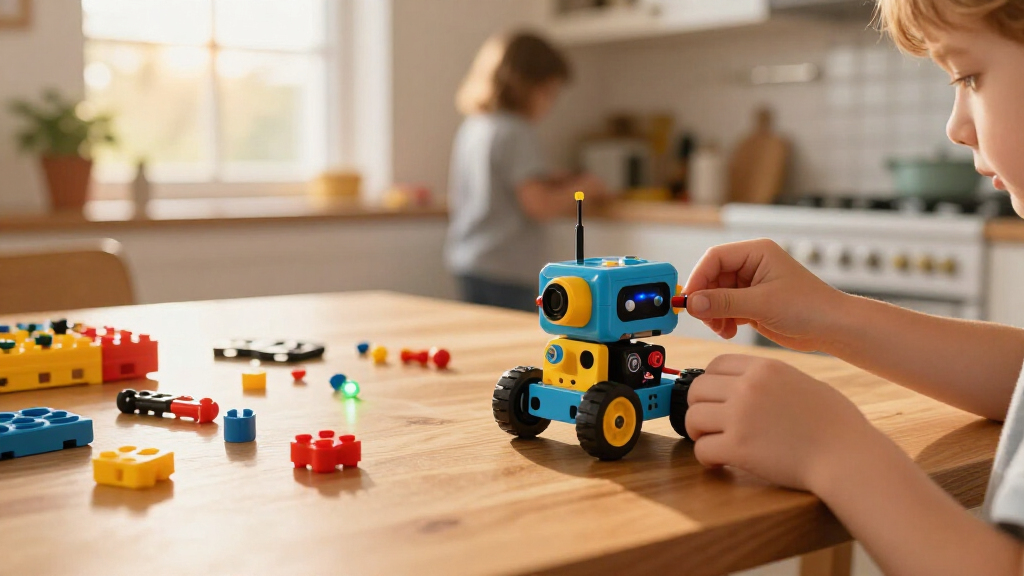

The best educational robot kit for most kids is the Makeblock mBot, which pairs hands-on building with a clear path into coding. For a broad build-and-experiment experience, the JOVA Klever Kits 36-in-1 offers many motorized designs, while the Thames & Kosmos My Robotic Pet gives coding a playful, focused purpose. The main tradeoff is whether your child will learn more from repeated construction, programming, electronics, or guided play. Age, adult setup time, and the kind of challenge that holds a child’s interest matter as much as the number of models in the box. Read on for a breakdown of all 13 kits and how to choose between them.

Prime made for students and young adults
- Fast, free delivery for dorm and study essentials
- Prime Video and Amazon Music included
- Member-only deals
Key Takeaways
- The Makeblock mBot stands apart for coding depth: it is the clearest choice here when the goal is to move beyond assembling a robot and into programming its behavior.
- Multi-model kits favor variety over sustained coding: the JOVA 36-in-1, Lucky Doug 12-in-1, and Sillbird 12-in-1 give builders many construction paths, but model counts alone do not show how much programming a child will learn.
- Solar kits teach a different kind of lesson: Lucky Doug and Sillbird focus on building and solar-powered movement, making them a better fit for mechanical exploration than app-based coding.
- Purpose-built projects can be easier to start: Design & Drill and the ANNISOKA wooden arm offer tangible, focused builds, while broader kits may call for more patience and adult help.
- The shortlist covers distinct learning goals: choose the Butterfly EduFields kit for robotics and electronics, the coding chameleon for character-led programming, or the EggTailz car for a vehicle-centered project.





| educational robot kits for kid | Brand | Recommended age |
|---|---|---|
| Lucky Doug 12-in-1 Solar-Power | Lucky Doug | 8–13 years |
| BeAndge 4-Pack STEM Doodling R | BeAndge | 8 years and up; listing also gives 8–12 and 8–13 ranges |
| ANNISOKA DIY Wooden Robot Arm | ANNISOKA | 8 years and up |
| Butterfly EduFields 10-in-1 ST | Butterfly EduFields | 8–17 years; description highlights ages 8–12 |
| Makeblock mBot STEM Coding Rob | Makeblock | — |
| Sillbird 12-in-1 Solar Robot B | Sillbird | 10 years and up |
| JOVA Klever Kits 36-in-1 Motor | Klever Kits | 8–13 years |
| Sillbird 5-in-1 Programmable S | Sillbird | 8 years and up |
| Educational Insights Design & | Educational Insights | 3–6 years |
| EggTailz Smart Robot Car Kit f | EggTailz | — |
| BeAndge 6-in-1 STEM Robotics K | BeAndge | — |
| Thames & Kosmos My Robotic Pet | Thames & Kosmos | 8–12 years |
| Opmind 5-in-1 STEM RC Robot Bu | Opmind | 8–13 years |
More Details on Our Top Picks
Lucky Doug 12-in-1 Solar-Powered Robot Building Kit
Twelve build options make this a flexible choice for children who want to rebuild rather than finish one robot and stop. Its 190+ interchangeable pieces and step-by-step instructions support ages 8–13 as they explore how different structures move, while solar power provides a simple introduction to renewable energy without battery changes. Compared with the Butterfly EduFields 10-in-1 kit, Lucky Doug emphasizes varied mechanical models powered by sunlight, rather than electronics projects and sensor-driven behavior. That tradeoff makes it easier to focus on building, but it offers less evidence of coding or sensor-based learning. The main limitation is practical: the models need direct sunlight to operate, so play can be restricted indoors or on overcast days. I’d choose it for variety and solar concepts, not for programmable robotics.
Pros:- Offers 12 robot models from 190+ interchangeable pieces
- Uses solar power rather than replaceable batteries
- Step-by-step instructions help beginner builders follow each project
- Crawling, rolling, and floating designs offer varied construction challenges
Cons:- Models need direct sunlight to operate
- Does not list coding or sensor-based robot functions
Best for: Families seeking a multi-build kit that introduces ages 8–13 to mechanical design and solar power without batteries.
Not ideal for: Children who want indoor play in any weather or lessons centered on coding and electronic sensors.
- Brand:Lucky Doug
- Model:214
- Pieces:190+
- Build options:12 robot models
- Power source:Solar
- Recommended age:8–13 years
- Material:BPA-free, non-toxic ABS plastic
Our verdict“Choose Lucky Doug for repeatable building projects and a hands-on solar lesson, provided sunlight is available when the child wants to play.”
BeAndge 4-Pack STEM Doodling Robot Kits for Kids
Four separate kits give this set a clear advantage for siblings, small groups, or classroom activities: each child can build a doodling robot and contribute a different drawing idea. The project links construction with art, so its appeal is broader than a conventional robot-building set. Compared with the Lucky Doug 12-in-1 Solar-Powered Robot Building Kit, BeAndge is less about rebuilding one machine into many forms and more about turning a finished robot into a creative activity. The listing names coding among its skills, but it does not specify a programming platform or describe programmable functions, so I would treat the learning emphasis as construction, creativity, and problem-solving. The age guidance also varies between 8–12 and 8–13 in the listing. This is a strong group-project fit, but a less defined choice for families seeking a progressive coding curriculum.
Pros:- Includes four buildable robot kits for group use
- Combines construction with drawing and creative experimentation
- Suitable for classroom activities and collaborative projects
- Encourages problem-solving and motor skills through hands-on building
Cons:- Listing gives inconsistent age guidance of 8–12 and 8–13
- No specific programming platform or coding functions are described
- The product information does not detail the number of pieces or robot capabilities
Best for: Teachers, activity leaders, and families with multiple children who want a shared build-and-draw project.
Not ideal for: Solo learners seeking detailed coding lessons, a clearly stated age range, or a robot with specified autonomous functions.
- Brand:BeAndge
- Number of kits:4
- Recommended age:8 years and up; listing also gives 8–12 and 8–13 ranges
- Activity:Buildable doodling robots
- Skills:Coding, construction, creativity, exploration, logical thinking, motor skills, problem solving, and STEM
Our verdict“Pick BeAndge when several children need an art-focused robot activity, not when a defined coding pathway is the priority.”
ANNISOKA DIY Wooden Robot Arm Kit
A working robot arm gives this kit a more focused engineering lesson than multi-model sets such as the Lucky Doug 12-in-1 Solar-Powered Robot Building Kit. Rather than assembling a succession of small designs, children build a wooden mechanism with motors, wires, and a microcontroller board, connecting parts to movement. The no-soldering assembly keeps the project accessible to young builders who are ready for electronics but not soldering tools. Its compact listed dimensions—6.8 x 4.48 x 4.3 inches—also suit a desk or a limited project area. The tradeoff is that this is one main build, not a collection of alternative robots, and assembly may challenge some children. It also needs six AA batteries, which are not included. I’d choose it for a concentrated mechanical project, not for coding lessons or extensive rebuild variety.
Pros:- Connects motorized movement with a hands-on mechanical build
- Includes a microcontroller board, motors, and wires
- Requires no soldering
- Compact listed dimensions suit a small work area
Cons:- Requires six AA batteries, which are not included
- Assembly may be challenging for some builders
- Focuses on one robot-arm project rather than multiple models
Best for: Builders ages 8 and up who want to assemble a compact motorized arm and explore basic circuits with adult support if needed.
Not ideal for: Children who prefer multiple build choices, coding activities, or a kit ready to operate without separately supplied batteries.
- Brand:ANNISOKA
- Material:Wood
- Recommended age:8 years and up
- Batteries required:6 AA, not included
- Soldering required:No
- Item dimensions:6.8 x 4.48 x 4.3 inches
- Included components:Robot arm kit
- Manufacturer part number:A-48
Our verdict“Choose ANNISOKA for a focused introduction to a motorized mechanism, but opt for Lucky Doug if varied robot builds matter more.”
Butterfly EduFields 10-in-1 STEM Robotics and Electronics Kit for Kids
Ten projects and 100+ components give this kit a wider electronics focus than the ANNISOKA wooden robot arm, which centers on one mechanism. Step-by-step instructions support exploration across robotics, engineering, and mechanics, while the sensor-controlled robot adds line-following and obstacle avoidance—functions that make electronic inputs easier to connect with visible robot behavior. The listed age guidance spans 8–17, while the description highlights ages 8–12, giving the kit room to suit older children but leaving some uncertainty about the intended difficulty range. Another limitation is that some project components may not be included, which could interrupt a build or require additional sourcing. Compared with Lucky Doug’s solar-powered models, this is the more electronics-oriented option; it is less straightforward if a buyer wants every project clearly covered by the included parts.
Pros:- Offers 10 robotics and electronics projects
- Includes over 100 components and step-by-step instructions
- Introduces robotics, engineering, electronics, and mechanics
- Can build a sensor-controlled robot with line-following and obstacle-avoidance functions
Cons:- Some components needed for projects may not be included
- Age guidance differs between the description and listed range
- The product information does not specify a programming platform
Best for: Families with a curious builder who wants several electronics projects and sensor-controlled robot behavior, with adult help available to check project requirements.
Not ideal for: Buyers who need a clearly defined age or difficulty level, or who expect every project to use only included components.
- Brand:Butterfly EduFields
- Model number:506
- Project count:10
- Components:Over 100
- Recommended age:8–17 years; description highlights ages 8–12
- Skills:STEM, robotics, engineering, electronics, and mechanics
- Robot functions:Line-following and obstacle avoidance
Our verdict“Choose Butterfly EduFields for broader electronics exploration and sensor functions, after checking which project parts are supplied.”
Makeblock mBot STEM Coding Robot Kit for Kids Ages 8–12
Scratch, Arduino, and mBlock support give mBot the clearest route from building a robot to programming its behavior in this group. Its guided lessons, coding cards, and app access pair with remote control, line following, and obstacle avoidance, so children can move beyond assembly and explore how code affects what the robot does. Compared with the BeAndge 4-Pack STEM Doodling Robot Kits, mBot is a more direct fit for structured programming; BeAndge instead favors drawing, creativity, and group building. Assembly takes about 15 minutes, which lowers the barrier to getting started, while compatibility with Makeblock modules and LEGO parts leaves room to expand. The tradeoff is that the batteries for both robot and remote are sold separately, and the product is less centered on rebuilding many distinct models than the Lucky Doug kit.
Pros:- Supports Scratch, Arduino, and mBlock programming
- Offers remote control, line following, and obstacle avoidance
- Includes tutorials, coding cards, and access to Makeblock apps
- Compatible with Makeblock add-ons, electronic modules, and LEGO parts
Cons:- Robot requires four AA batteries, not included
- Remote requires a CR2025 battery, not included
- Centers on one robot platform rather than a range of distinct model builds
Best for: Families seeking a buildable robot that can grow into Scratch or Arduino coding lessons and offer multiple programmed behaviors.
Not ideal for: Buyers who want batteries included, a large set of alternate robot builds, or an art-centered group activity.
- Brand:Makeblock
- Model:90053
- Age range:8 years and up
- Programming platforms:Scratch, Arduino, mBlock
- Functions:Remote control, line following, obstacle avoidance
- Assembly time:About 15 minutes
- Robot batteries:4 AA batteries, not included
- Remote battery:1 CR2025 battery, not included
- Compatibility:Makeblock add-on packs, 100+ electronic modules, 500+ parts, and LEGO parts
Our verdict“Choose mBot for a child ready to connect hands-on robotics with coding, provided you are prepared to supply its batteries.”
Sillbird 12-in-1 Solar Robot Building Kit, 190 Pieces
For kids drawn to building more than app control, the Sillbird 12-in-1 offers a useful range of projects in one 190-piece kit. Its step-by-step instructions and varying difficulty levels let a child progress from simpler models toward more involved builds, while the solar power source gives renewable energy a practical role in the play. Compared with the programmable Sillbird 5-in-1, this kit focuses on construction and solar concepts rather than Bluetooth controls or coding features. That makes it a more straightforward choice for families who want hands-on assembly without an app. The tradeoff is its reliance on sunlight or strong artificial light: dim indoor conditions can limit when the models run, and it offers less active control than motorized remote-control options.
Pros:- Twelve models provide variety without requiring a separate kit for each build.
- Step-by-step instructions and graded difficulty support progression.
- Solar operation connects building play with renewable energy concepts.
Cons:- Operation depends on sunlight or a strong artificial light source.
- Does not offer the app programming or remote control found in some robot kits.
Best for: Families seeking a multi-build kit for children 10 and up who are curious about engineering and solar energy.
Not ideal for: Kids who want dependable indoor operation, app-based programming, or remote-controlled play; the models need sunlight or strong artificial light.
- Brand:Sillbird
- Models:12
- Pieces:190
- Power source:Solar or strong artificial light
- Material:ABS
- Recommended age:10 years and up
- Dimensions:19.99 x 26.17 x 6.83 cm
Our verdict“Choose this kit for a child aged 10 or older who wants varied construction projects and can build where strong light is available.”
JOVA Klever Kits 36-in-1 Motorized Robotics STEM Kit for Ages 8–13
The Klever Kits 36-in-1 is the lineup’s variety pick: 334 parts support 36 models, with 14 motorized designs for kids who want movement as well as construction. That mix gives it more repeat-build potential than the five-model Sillbird programmable kit, though the Sillbird adds app control and basic programming that this kit’s description does not specify. A sorting tray, color booklet, and video tutorials help make a large parts collection more manageable, and the age range of 8–13 suits shared building as well as solo projects. The main compromise is the assembly workload: many pieces require careful sorting, and frequent model changes may mean rebuilding rather than keeping several finished robots ready to use.
Pros:- Thirty-six model options offer substantial variety for repeat building.
- Fourteen motorized designs add movement to the construction experience.
- Sorting tray and illustrated instructions help organize a large set of parts.
- Video tutorials provide another way to follow build steps.
Cons:- The large parts count can make sorting and assembly demanding.
- The product details do not list app programming or remote-control features.
Best for: Families with builders aged 8–13 who enjoy repeated construction projects and want a mix of moving and non-motorized models.
Not ideal for: Children who want coding or app-controlled behavior, or builders who get frustrated by sorting and disassembling parts between projects.
- Brand:Klever Kits
- Manufacturer:JOVA US INC
- Model count:36
- Motorized models:14
- Parts:334
- Material:Plastic and ABS
- Recommended age:8–13 years
Our verdict“Pick Klever Kits for an 8–13-year-old who values many different builds more than app-based coding.”
Sillbird 5-in-1 Programmable STEM Robot Building Kit
Among these options, the Sillbird 5-in-1 Programmable Kit makes the strongest case for combining construction with basic programming. Its 488 pieces form five different types of model, including a robot, dinosaur, car, and tank, then remote or Bluetooth app control gives kids a way to interact with what they have built. That makes it a more technology-focused choice than the solar-powered Sillbird 12-in-1, which emphasizes light and renewable energy over app control. The rechargeable battery supports up to 40 minutes per charge, so sessions may need to pause for recharging; families should also expect some features to depend on a compatible Bluetooth app. It suits kids ready for more than a simple build, but may be too involved for a younger first-time builder.
Pros:- Five model types let children rebuild the kit in different forms.
- Remote and Bluetooth app controls add interactive play.
- Basic programming features introduce control concepts through a built model.
- Step-by-step instructions can support independent or shared building.
Cons:- Play time is limited to up to 40 minutes per charge.
- Some features require a Bluetooth app.
- The 488-piece build may be a substantial project for less experienced builders.
Best for: Families with children 8 and up who want a substantial building project paired with remote control and introductory app programming.
Not ideal for: Buyers seeking long uninterrupted play or a kit that works without app access; a charge lasts up to 40 minutes and some features use Bluetooth.
- Brand:Sillbird
- Model:B883
- Number of pieces:488
- Buildable models:Robot, dinosaur, car, tank, and more
- Control:Remote control and Bluetooth app
- Battery life:Up to 40 minutes per charge
- Recommended age:8 years and up
- Dimensions:6 x 7 x 8 inches
- Item weight:1.8 pounds
Our verdict“Choose this Sillbird kit for an 8-and-up builder who wants app-enabled interaction and accepts shorter play sessions between charges.”
Educational Insights Design & Drill Robot Workshop
The Design & Drill Robot Workshop is the clearest age-specific choice here for early builders: it is recommended for ages 3–6 and uses interchangeable pieces, bolts, gears, and toy tools to make robot construction accessible through hands-on play. Rather than asking a young child to manage a large mechanical build like the 334-piece Klever Kits set, this workshop centers on simpler customization and tool practice. That makes it a better fit for developing fine motor skills and early problem-solving than for teaching programming or building a robot that moves on its own. Its toy drill and screwdriver bring a satisfying construction routine, but the drill needs two AA batteries, which are not included. Older children seeking coding or powered robotics may outgrow its scope quickly.
Pros:- Age range and hands-on tools suit early construction play.
- Interchangeable pieces encourage children to customize their robot.
- Bolts, gears, and tools support fine motor practice and basic problem-solving.
- The simpler format is less demanding than large-part robotics kits for older children.
Cons:- Requires two AA batteries, which are not included.
- Offers customization and early STEM play rather than coding or motorized robot functions.
Best for: Caregivers looking for a first construction-style STEM toy for children aged 3–6, with adult support as needed.
Not ideal for: Older kids who want programmable behavior, a motorized robot, or a more advanced multi-step engineering challenge.
- Brand:Educational Insights
- Recommended age:3–6 years
- Interchangeable pieces:26
- Bolts:32
- Gears:7
- Tools included:Toy drill, Phillips bit, screwdriver, and gear socket bit
- Battery requirement:2 AA batteries, not included
- Model number:4177
Our verdict“This is the most suitable pick here for a preschooler starting with simple tool-based building, not for a child ready for coding or moving robots.”
EggTailz Smart Robot Car Kit for Kids
The EggTailz Smart Robot Car Kit stands apart from multi-model construction sets by focusing on one assembled vehicle with autonomous and remote-control modes. Obstacle avoidance and self-balancing give the finished car behaviors to observe, while headlights, taillights, and a ring light add visible feedback during play. Compared with the Sillbird 5-in-1, EggTailz offers a narrower build choice but lists a longer play window of 1–4 hours and does not describe Bluetooth app control. Illustrated and video instructions can help guide assembly, though younger or inexperienced builders may still need a parent’s assistance. Buyers should choose it for the car’s movement and modes, not for a wide range of models or a stated programming curriculum.
Pros:- Autonomous and remote-control modes provide two ways to operate the car.
- Obstacle avoidance works in both modes.
- Rechargeable battery is listed for 1–4 hours of play.
- Illustrated and video instructions offer support during assembly.
Cons:- Assembly may require parent help for younger or inexperienced builders.
- The kit focuses on a single robot car rather than multiple buildable models.
- The product details do not specify programming lessons or app-based coding.
Best for: Families with children aged 8 and up who want to assemble a robot car and switch between autonomous behavior and remote driving.
Not ideal for: Builders who want multiple robot designs or explicit coding lessons, or younger children likely to need more assembly help.
- Brand:EggTailz
- Age range:8 years and up
- Drive:2WD
- Modes:Autonomous and remote control
- Features:Obstacle avoidance, self-balancing, headlights, taillights, and ring light
- Battery:Rechargeable; fully charges in 2 hours
- Play time:1–4 hours
- Remote control batteries:2 AA batteries, included
- Model number:265-A
Our verdict“Choose EggTailz for an 8-and-up builder who wants a car with autonomous features and remote driving more than a multi-model kit.”
BeAndge 6-in-1 STEM Robotics Kit for Kids Ages 8–12
The BeAndge kit is a good fit for kids who want to make several different things rather than concentrate on one programmable robot. Its six projects include a reptile robot, balance car, bubble machine, fiber lamp, and buzzer wire game, giving children different ways to explore circuits, physics, and problem solving. Step-by-step instructions and a mini screwdriver help make the builds more approachable, especially as a parent-child activity. Compared with the Opmind 5-in-1, BeAndge offers broader project variety but does not list remote or app control, so it is less suited to kids focused on driving a robot. Buyers should also supply AA batteries and bubble solution; those omissions can delay projects if the materials are not on hand.
Pros:- Six distinct projects cover more than one type of hands-on STEM activity.
- Step-by-step instructions support children through assembly.
- Includes a mini screwdriver for building.
- Projects introduce circuits, physics, and problem solving.
Cons:- AA batteries are required but not included.
- Bubble solution for the bubble machine must be supplied separately.
- The listed project set does not emphasize app-based or remote robot control.
Best for: Families with children around ages 8–12 who want guided, varied science builds to do together.
Not ideal for: Kids seeking a programmable or remote-controlled robot, or families who want a kit ready to use without supplying batteries and bubble solution.
- Brand:BeAndge
- Model number:BA1001
- Age range:8–14 years
- Projects:6
- Skills:Coding, motor, and problem-solving skills
- Batteries:AA batteries required; not included
- Bubble solution:Not included
- Warranty:Lifetime warranty against manufacturer’s defects
Our verdict“Choose BeAndge for guided variety across hands-on science projects, but pick Opmind instead if remote-controlled robot play matters more.”
Thames & Kosmos My Robotic Pet: Coding Chameleon Kit
This chameleon suits children who want a characterful robot with a clear path from building to experimenting. Once assembled, it responds to touch and gestures, changes color, and moves its tongue; physical action cards let kids explore coding without a screen. Color and infrared sensors, along with RGB lights, make the chameleon’s behavior visible, while the 48-page guide introduces robotics and biomimicry. Compared with BeAndge’s six-project assortment, this is a more focused build, but it gives children a more coherent robot to interact with. The tradeoff is the required assembly before play, and children ages 8–11 may need adult help with the build. It is a weaker fit for families who want multiple separate models or immediate out-of-box activity.
Pros:- Physical action cards introduce coding without requiring a screen.
- Touch response, color changes, and tongue movement make the robot interactive.
- Three modes offer different ways to play: Coding, Wild, and Pet.
- Guide connects hands-on assembly with robotics and biomimicry.
Cons:- Assembly is required before children can play with the chameleon.
- Children ages 8–11 may need adult help during assembly.
- Its single-model focus offers less build variety than the BeAndge six-project kit.
Best for: Families seeking a screen-free coding activity for an 8–12-year-old who enjoys building and interacting with a single robot.
Not ideal for: Children who want several different models or a quick start without adult assembly support, particularly at ages 8–11.
- Brand:Thames & Kosmos
- Model number:620507
- Recommended age:8–12 years
- Length:15 inches
- Play modes:Coding, Wild, Pet
- Sensors:Color sensor and infrared sensor
- Lighting:RGB LEDs
- Manual:48 pages
Our verdict“Pick the Coding Chameleon for screen-free, sensor-based interaction, not for a collection of separate robot builds.”
Opmind 5-in-1 STEM RC Robot Building Kit – 408 Pieces, Gift for Kids Ages 8‑13
Opmind stands out for kids who want their construction to move under their control. The 408 interlocking pieces form five models, including a robot, racing tank, and tracked car, while RF remote and Bluetooth app control offer two ways to drive the finished builds. A stated 20-meter remote range gives children room to operate the model, and four app driving modes add options for kids comfortable with a connected device. Compared with Thames & Kosmos’ Coding Chameleon, Opmind puts more emphasis on rebuilding and vehicle control than on screen-free sensor behavior. That flexibility comes with a steeper setup: younger builders may find the piece count and assembly demanding, and app control depends on a compatible smartphone or tablet. The app-free remote helps, but the kit is not fully device-independent if children want all its control options.
Pros:- Five models provide opportunities to rebuild rather than stick with one design.
- RF remote and Bluetooth app give kids two control methods.
- Remote control is specified for distances up to 20 meters.
- The 408-piece build supports extended construction and problem-solving play.
Cons:- The piece count and build complexity may challenge younger children.
- Bluetooth app control requires a compatible smartphone or tablet.
- Its vehicle-control focus offers less screen-free, sensor-led interaction than the Coding Chameleon.
Best for: Builders ages 8–13 who want to switch among several vehicle-style models and control them by remote or a compatible mobile device.
Not ideal for: Younger or less experienced builders who need simpler assembly, and families without a compatible smartphone or tablet who want app features.
- Brand:Opmind
- Model number:8028
- Recommended age:8–13 years
- Number of pieces:408
- Models:5
- Control methods:RF remote and Bluetooth app
- Remote control distance:Up to 20 meters
- Item dimensions:9.5 × 2.5 × 12 inches
Our verdict“Choose Opmind if your child wants multiple moving builds and remote control, provided the assembly and optional app requirements fit your household.”
How We Picked
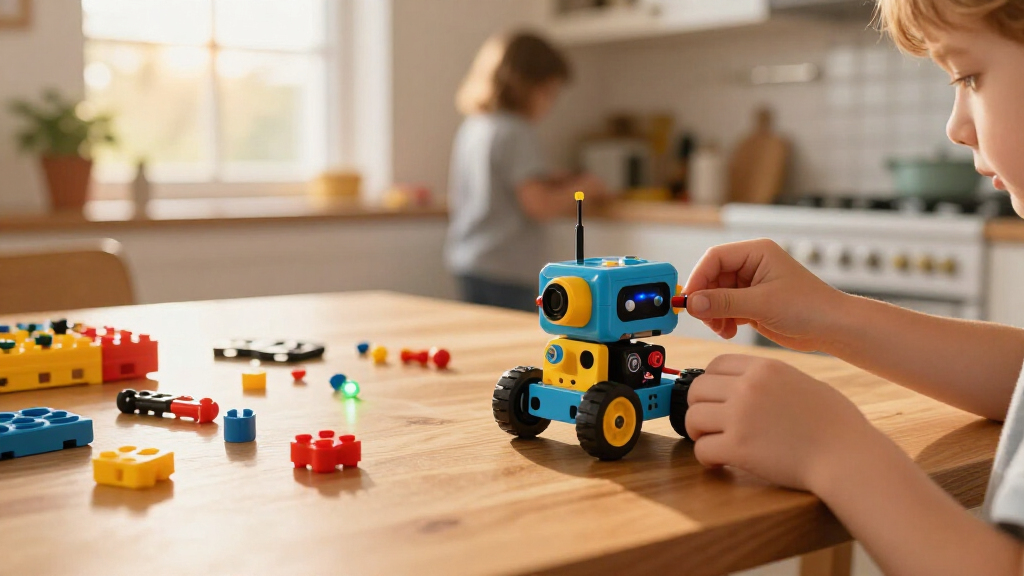
I compared these kits by the kind of learning they support: hands-on assembly, mechanical understanding, electronics, programming, and opportunities to modify or repeat a project. I also weighed age fit, clarity of the build experience, the likely need for adult assistance, and whether a kit offers a meaningful progression rather than a single moment of novelty. A high model count can add replay value, but it does not automatically mean deeper instruction or easier builds.
The ranking gives more weight to a balanced learning path than to piece count alone. That puts the Makeblock mBot first for combining construction with coding, while multi-build kits rank well for creative variety and focused kits earn their place for a particular learner or project. I also account for tradeoffs: solar models are less suited to coding practice, and specialized projects may be less flexible than a broader robotics platform. These are editorial comparisons based on the products’ stated formats and features, not claims of hands-on testing.
Factors to Consider When Choosing Educational Robot Kits For Kids
Before choosing a kit, decide what you want the child to do after the first build. A robot that can be programmed, rebuilt, or modified may support longer-term learning than one that mainly demonstrates a single motion, but it can also ask more of the child and the adult helping. These questions can help match the kit to the learner rather than to the most eye-catching feature.
Choose the Learning Goal Before the Build
Robot kits can teach very different things under the same STEM label. A construction-focused kit helps children follow instructions, recognize how parts connect, and explore motion; an electronics kit adds circuits and components; a coding robot teaches the child to control behavior through commands. Decide which skill you want to encourage rather than assuming every robot kit teaches all three equally. A beginner who likes making things may get more from a guided mechanical build than from a coding interface. If the child already builds confidently, look for ways to change the robot’s behavior or design after assembly.
Match Complexity to the Child—and the Available Help
Age guidance is a starting point, not a guarantee that a child can work independently. Small parts, multi-step diagrams, wiring, and software setup can each add a different kind of difficulty. Think about whether an adult can help with the first build or whether the kit needs to be manageable during solo play. A kit that is too simple may lose its appeal quickly, but a complicated first project can turn into an adult-led activity. When choosing between two close age ranges, consider the child’s patience with instructions and comfort correcting mistakes.
Treat Model Counts as Variety, Not a Learning Score
A kit advertised with many possible builds may offer fresh construction challenges, but the number of designs does not tell you how distinct or well-supported those builds are. Some children enjoy taking a robot apart and rebuilding it; others prefer one project they can personalize and program over time. Check whether alternate designs reuse the same parts and whether the instructions support each one clearly. If lasting interest is the goal, ask what the child can change after the listed builds are complete. A smaller kit with a clear progression may suit a learner better than a larger set of loosely connected models.
Check What Powers and Controls the Robot
Power source and control method affect where and how a child can use a kit. Solar-powered models connect movement to light and can prompt useful observation, but they may depend on suitable lighting and are not automatically programmable. Motorized builds may need batteries, while coding robots can rely on a compatible device or software setup. Before buying, check what power supplies or devices are required and whether those are already available at home. A mismatch here can leave a technically interesting kit waiting for the right conditions or equipment.
Factor in Rebuilding, Storage, and Small Parts
Many robotics kits depend on taking a finished model apart to try a new design, so the build is only part of the commitment. Consider whether the child will enjoy repeated assembly and whether there is a place to store loose pieces between sessions. Small components can be easy to misplace, and a missing connector can interrupt a project even when the rest of the kit is intact. A dedicated container or labeled compartments can make a multi-build kit easier to revisit. For a child who dislikes sorting or rebuilding, a focused project may be a better match than a large assortment.
Pay More for a Learning Path, Not Just More Parts
When comparing kits, look for evidence of what the child can learn or do next, not only how much is included. A worthwhile step up may bring editable code, more control over movement, or clearer ways to experiment; a larger parts count without a progression may add little for a child who wants to program. On the other hand, a beginner may benefit more from a contained, guided activity than from advanced features they are not ready to use. Match added capability to the child’s existing interests and skills. The best fit is the kit whose next challenge feels inviting rather than like homework.
Frequently Asked Questions
Which kind of robot kit is best if my child wants to learn coding, not just build?
Look for a kit that lets the child change the robot’s actions through commands, rather than one focused mainly on assembling alternate shapes. The Makeblock mBot and Sillbird 5-in-1 Programmable kit are the most directly coding-oriented options in this lineup, while the Thames & Kosmos chameleon centers coding around a specific character and task. Before choosing, check the programming approach and whether it suits the child’s age and available device. A kit with coding features is only a good fit if the child can access and understand them. If the child is new to programming, a guided, concrete activity may be easier to stick with than an open-ended platform.
Are solar robot kits a good first choice for a child interested in robotics?
They can be a good introduction when a child is curious about how parts turn light into movement and enjoys building by following instructions. The Lucky Doug and Sillbird solar kits emphasize construction and solar-powered motion, so they are less suitable if the main goal is coding practice. Their usefulness can also depend on access to adequate light, a factor that may affect where the child can use the model. For a first kit, consider whether the child prefers exploring mechanical cause and effect or controlling behavior with software. Choose the solar route for the former, and a programmable robot for the latter.
Should I choose a kit with many build options or one focused project?
Choose many build options if the child enjoys taking models apart and starting again, and if variety is likely to keep them engaged. A focused kit may work better when a clear goal helps the child stay with a project or when they want to explore one mechanism in more depth. A larger number of designs does not necessarily mean better instructions, more challenging learning, or more coding. Consider how the child handles repeated assembly and whether an adult can help organize parts. The right format is the one that matches how the child likes to play after the first model is finished.
How much adult help should I expect with an educational robot kit?
That depends on more than the age label: assembly steps, small parts, wiring, and software setup can each call for assistance. Younger or less experienced builders may need help with the first few stages even when they can complete later steps on their own. Coding kits can add setup needs that mechanical kits do not, while a simpler focused project may be easier to work through together. If independent play is a priority, look for a clearly guided build that matches the child’s current skills and check any device or battery requirements first. Plan for some shared setup rather than assuming every kit will be ready for fully independent use.
What should I check before buying a robot kit that uses an app or remote control?
Check what device, software, or control method the kit requires and whether it works with equipment your household already has. An app-based coding experience may offer more control, but it can bring setup and compatibility questions that a manual build avoids. For remote-control models, find out whether the control method is included and how the child is expected to operate the robot. Also consider whether the child wants to program actions or simply steer a finished build; those are different kinds of play. These checks can prevent a kit from being a poor fit even when its construction project looks appealing.
Conclusion
My best overall pick is the Makeblock mBot for families who want construction and coding in the same learning path. For best value in build variety, I would look at the JOVA Klever Kits 36-in-1, while the best premium-style choice for coding and guided experimentation is the mBot if those capabilities matter more than having the most models. For beginners who want a contained, hands-on activity, the Educational Insights Design & Drill Robot Workshop is a more approachable starting point than a broad programmable kit. Choose the Lucky Doug or Sillbird solar kit for light-powered mechanical exploration, the Butterfly EduFields kit for robotics and electronics, or the Thames & Kosmos chameleon for character-led coding. Match the kit to the skill your child wants to practice, and to the amount of setup and rebuilding they will enjoy.
Halloween Picks
halloween
As an affiliate, we earn on qualifying purchases.