
Prime made for students and young adults
- Fast, free delivery for dorm and study essentials
- Prime Video and Amazon Music included
- Member-only deals
Key Takeaways
- Screen size significantly impacts collaborative learning; models with 7-inch or larger screens allow multiple students to view specimens simultaneously without crowding.
- Resolution matters more than raw magnification numbers; a 4K sensor produces clearer images at 500x than a 1080p sensor at 1000x.
- Built-in measurement scales are a critical differentiator for older students who need to document precise dimensions for science fair projects.
- Battery life is often the weakest link in portable digital microscopes; models with external power options offer more reliability for long lab sessions.
- Software compatibility varies widely; students using Chromebooks or older iPads should verify driver-free operation before purchasing to avoid setup hurdles.
| TOMLOV DM301 Max Digital Microscope with 7-Inch Screen |  | Best Overall for Classroom Slide Work | Display: 7-inch full-color IPS screen | Maximum magnification: 1200X | Lenses: Three achromatic lenses | VIEW LATEST PRICE | See Our Full Breakdown |
| TOMLOV DM301 Pro Digital Microscope with 7-Inch Screen |  | Best for Measurement-Based Lessons | Display: 7-inch IPS screen with adjustable viewing angle | Maximum magnification: 1200X | Lenses: Three achromatic lenses | VIEW LATEST PRICE | See Our Full Breakdown |
| TOMLOV DM9 7-Inch Digital Coin Microscope, 1200X |  | Best for Coins and Hands-On Projects | Screen: 7-inch LCD | Maximum magnification: 1200X | Camera and video: 12MP photos; 1080P video | VIEW LATEST PRICE | See Our Full Breakdown |
| PalliPartners Digital Microscope with 4.3-Inch HD Screen |  | Best Portable Pick for Field Activities | Display: 4.3-inch LCD | Magnification: 50X–1000X | Camera resolution: Conflicting product data: 2.0MP in description and 10MP in product highlight | VIEW LATEST PRICE | See Our Full Breakdown |
| PalliPartners LCD Digital Microscope with 4.3-Inch 1080p Screen and 10MP Camera |  | Best Compact Starter for Flexible Viewing | Screen: 4.3-inch 1080p HD LCD | Camera: 10MP | Digital zoom: 1–1000× | VIEW LATEST PRICE | See Our Full Breakdown |
| Elikliv EM4K 4K Digital Microscope with 8-Inch IPS Screen |  | Best for High-Resolution Documentation | Brand: Elikliv | Model: EM4K | Screen Size: 8 inches | VIEW LATEST PRICE | See Our Full Breakdown |
| Woehrsh Trinocular Compound Microscope with USB Camera |  | Best for Traditional Biology Study | Brand: Woehrsh | Model: RM | Microscope Type: Trinocular compound microscope | VIEW LATEST PRICE | See Our Full Breakdown |
| HEWEIMEI 1600x Digital Microscope for Kids with 4-Inch Screen |  | Best for Young Beginners | Brand: HEWEIMEI | Model: P2 | Magnification: 100x–1600x | VIEW LATEST PRICE | See Our Full Breakdown |
| TOMLOV DM4W Max Digital Coin Microscope with Built-In Scale |  | Best for Numismatic and Jewelry Students | Brand: TOMLOV | Model: DM4W Max | Display: 7-inch, 800 × 480 | VIEW LATEST PRICE | See Our Full Breakdown |
| digital microscopes for student | Display | Lighting |
|---|---|---|
| TOMLOV DM301 Max Digital Micro | 7-inch full-color IPS screen | — |
| TOMLOV DM301 Pro Digital Micro | 7-inch IPS screen with adjustable viewing angle | Adjustable top and bottom LED lights |
| TOMLOV DM9 7-Inch Digital Coin | — | 8 built-in LEDs and 2 flexible gooseneck lights |
| PalliPartners Digital Microsco | 4.3-inch LCD | 8 adjustable LED lights |
| PalliPartners LCD Digital Micr | — | 8 adjustable LED lights |
| Elikliv EM4K 4K Digital Micros | — | — |
| Woehrsh Trinocular Compound Mi | — | — |
| HEWEIMEI 1600x Digital Microsc | 4-inch IPS screen | 6 LED lights with 3 brightness modes |
| TOMLOV DM4W Max Digital Coin M | 7-inch, 800 × 480 | — |
More Details on Our Top Picks
TOMLOV DM301 Max Digital Microscope with 7-Inch Screen
The DM301 Max is the strongest fit here for students whose lessons center on prepared slides and guided specimen work. Its three achromatic lenses and metal X-Y stage support more controlled slide viewing than the adjustable stand on the TOMLOV DM9, which is better suited to coins and components. The large 7-inch IPS display gives a group a shared view, while Wi-Fi, USB, and HD connections make it easier to show images on a phone, computer, or classroom screen. It also records 8MP photos and 1080P video, useful for saving observations for assignments. The tradeoff is a battery life of up to three hours, and its five prepared slides are only a starter set; students building a larger collection will need more samples.
Pros:- 7-inch adjustable-angle IPS display is easy to share during classroom demonstrations
- Three achromatic lenses and a metal X-Y stage suit structured slide observation
- Wi-Fi, USB, and HD connections support sharing on other devices
- Includes prepared and blank slides, a carrying case, and an 8GB microSD card
Cons:- Battery runs for up to three hours per charge
- Only five prepared slides are included
- Its slide-oriented setup is less suited to inspecting larger objects than the TOMLOV DM9
Best for: Students and teachers who want a screen-based microscope for slide lessons, group viewing, and recording observations
Not ideal for: Students who need long untethered sessions or mainly inspect coins, circuit boards, and other larger objects
- Display:7-inch full-color IPS screen
- Maximum magnification:1200X
- Lenses:Three achromatic lenses
- Image and video:8MP photos; 1080P video
- Stage:Metal X-Y stage with 1.0 mm scale divisions
- Illumination:Adjustable top and bottom LED lights
- Connectivity:Wi-Fi app control; USB and HD connections
- Battery life:Up to 3 hours
- Included storage and slides:8GB microSD card; 5 prepared slides and 5 blank slides
Our verdict“Choose the DM301 Max for student slide work that benefits from a large shared display, stable positioning, and media capture.”
TOMLOV DM301 Pro Digital Microscope with 7-Inch Screen
The DM301 Pro suits students who want a classroom display plus a built-in measurement reference. Its measurement scale overlay gives observations a more quantitative angle than the TOMLOV DM9, whose strengths lean toward adjustable inspection of coins and electronics. Like the DM301 Max, it has three achromatic lenses, a 7-inch IPS screen, and both top and bottom lighting, so it can support slide-based lessons and group viewing. App support and USB/HD output add ways to share captured material. The distinction from the Max is the Pro’s listed scale overlay; the Max explicitly includes a metal X-Y stage with scale divisions, giving it a clearer case for hands-on slide positioning. The Pro also shares the lineup’s up-to-three-hour battery limit and is designed for slides and specimens rather than broad object inspection.
Pros:- Built-in measurement scale overlay supports lessons that compare specimen dimensions
- 7-inch adjustable-angle IPS display works well for individual and group viewing
- Wi-Fi app support and USB/HD output make sharing images straightforward
- Includes prepared and blank slides, a carrying case, and a microSD card
Cons:- Battery life is limited to up to three hours
- The stated design focus is slide and specimen observation, not general-purpose object inspection
- Unlike the DM301 Max, the supplied specifications do not describe a metal X-Y stage
Best for: Students doing biology or lab assignments who want a measurement overlay and ways to share microscope views
Not ideal for: Learners who need extended battery operation or a versatile setup for inspecting coins, electronics, and other larger objects
- Display:7-inch IPS screen with adjustable viewing angle
- Maximum magnification:1200X
- Lenses:Three achromatic lenses
- Camera:8MP photos and 1080p video
- Measurement:Built-in measurement scale overlay
- Lighting:Adjustable top and bottom LED lights
- Connectivity:Wi-Fi app support; USB and HD output
- Battery life:Up to 3 hours
- Included slides:5 prepared slides and 5 blank slides
Our verdict“Pick the DM301 Pro when a measurement overlay matters more to your classwork than the Max’s specified X-Y stage.”
TOMLOV DM9 7-Inch Digital Coin Microscope, 1200X
For students who learn by examining objects they can handle, the TOMLOV DM9 is a more natural fit than the slide-focused DM301 Max and DM301 Pro. Its adjustable 8.5-inch stand, metal base, and flexible gooseneck lights help position coins, jewelry, or circuit boards without requiring a prepared slide. That makes it useful for hobby projects and basic electronics inspection alongside school activities. The 7-inch screen keeps the live view accessible, while 12MP photos and 1080P video capture details for later review. Its listed 1200X maximum magnification takes careful stand and focus adjustment, so the number alone should not be read as effortless detail at every setting. For standard biology slide lessons, the DM301 models offer more purpose-built slide features; the DM9 trades that specialization for a steadier platform for larger subjects.
Pros:- Adjustable 8.5-inch stand and metal base provide a stable platform for larger objects
- Eight built-in LEDs and two flexible gooseneck lights offer multiple lighting angles
- 12MP photos and 1080P video support project documentation
- Includes a 16GB microSD card and connects to Windows and Mac computers
Cons:- Reaching the listed 1200X magnification requires stand and focus adjustment
- Its object-inspection setup is less purpose-built for slide lessons than the DM301 Max
- The metal base is described for light soldering, not heavier soldering tasks
Best for: Students who combine school projects with coin, jewelry, plant, or basic circuit-board inspection
Not ideal for: Students whose main need is systematic biological slide study with a dedicated X-Y stage and prepared-slide kit
- Screen:7-inch LCD
- Maximum magnification:1200X
- Camera and video:12MP photos; 1080P video
- Lighting:8 built-in LEDs and 2 flexible gooseneck lights
- Stand:Adjustable 8.5-inch metal stand
- Base:Metal
- Storage:16GB microSD card included
- Computer compatibility:Windows and Mac
Our verdict“Choose the DM9 if student projects involve coins or components as often as they involve classroom specimens.”
PalliPartners Digital Microscope with 4.3-Inch HD Screen
The PalliPartners 4.3-inch microscope is the portable choice for students who want to inspect samples away from a desk. Its stated 4–5 hours of battery life outlasts the up-to-three-hour DM301 models, and the included metal bracket supports hands-free viewing when a table or work surface is available. The smaller screen and handheld-friendly format make it easier to carry, but they are less suited to group lessons than the 7-inch displays on the TOMLOV DM301 Max and DM9. It records to an included 32GB microSD card, giving students room to save photos and video. One caution: the supplied details conflict on camera resolution, listing both 2.0MP and 10MP, so I would not choose it on the basis of a particular image-resolution claim. It is also explicitly not for cell or medical use.
Pros:- Portable rechargeable design has a stated 4–5-hour battery life
- Metal bracket supports hands-free viewing
- Eight adjustable LEDs help adapt illumination to different samples
- Includes a 32GB microSD card for saving photos and videos
Cons:- Product details conflict on camera resolution, listing both 2.0MP and 10MP
- The 4.3-inch screen is less suited to group viewing than the 7-inch TOMLOV displays
- Not suitable for cell or medical purposes
Best for: Students collecting or inspecting plant, coin, or surface samples outdoors who value portability and longer stated battery life
Not ideal for: Students who need dependable camera-resolution specifications, a large shared display, or cell and medical specimen work
- Display:4.3-inch LCD
- Magnification:50X–1000X
- Camera resolution:Conflicting product data: 2.0MP in description and 10MP in product highlight
- Video resolution:1080p / 720p
- Lighting:8 adjustable LED lights
- Battery life:4–5 hours
- Storage:32GB microSD card included
- Support:Metal bracket
- Warranty:2 years
Our verdict“Choose this model for portable surface and specimen inspection, but not when camera resolution or medical use is a requirement.”
PalliPartners LCD Digital Microscope with 4.3-Inch 1080p Screen and 10MP Camera
This PalliPartners model is a compact starter for students who want a built-in screen without committing to a larger bench-style instrument. Its 4.3-inch 1080p LCD and handheld option make it more flexible to carry around than the TOMLOV DM301 Pro, whose 7-inch screen and slide-oriented setup are better for seated classroom work. The included metal bracket gives students a steadier view when they can set up at a desk, and eight adjustable LEDs help tailor illumination. The 10MP camera is clearly specified here, unlike the other PalliPartners model in this group, whose source details conflict on resolution. The key compromise is that its 1–1000× zoom is digital, not optical, and handheld viewing is less stable than using the bracket. It also lacks stated battery-life and storage details, which may matter for field assignments.
Pros:- Built-in 4.3-inch 1080p screen allows viewing without an external monitor
- 10MP camera is specified, unlike the conflicting resolution details for the other PalliPartners model
- Eight adjustable LEDs help tune light for different subjects
- Metal bracket supports stable hands-free use, with handheld viewing as an alternative
Cons:- The 1–1000× zoom is digital rather than optical
- Handheld use is less stable than viewing with the bracket
- Product details do not specify battery life or included storage
Best for: Students who need a compact microscope for occasional desk-based or handheld inspection of small samples and components
Not ideal for: Students who need optical magnification, a large display for group lessons, or specified onboard storage and battery runtime
- Screen:4.3-inch 1080p HD LCD
- Camera:10MP
- Digital zoom:1–1000×
- Lighting:8 adjustable LED lights
- Bracket:Metal
- Use modes:Handheld or bracket-supported
- Included items:Microscope, USB cable, and user manual
- Warranty:2 years
Our verdict“Pick this compact model for flexible close-up viewing when portability matters more than optical zoom or a classroom-size screen.”
Elikliv EM4K 4K Digital Microscope with 8-Inch IPS Screen
This model stands out for its 4K video and 52MP image capture, making it the strongest choice for students who need to document detailed findings for science fair projects or advanced biology labs. Compared to the HEWEIMEI P2, which prioritizes portability and simplicity for younger children, the Elikliv offers a much higher fidelity output that can be displayed on external monitors via HDMI. The 8-inch IPS screen provides a clear, wide-angle view that is significantly larger than the 4-inch display on the HEWEIMEI, allowing for better group observation. However, this increased power comes with a tradeoff in portability and ease of use; the stand and base require substantial workspace, which might be cumbersome for small desks. Additionally, the 30 fps maximum frame rate can feel slightly choppy when moving specimens quickly, unlike smoother options in higher-end professional tiers. It is best suited for students who value image quality over compact convenience.
Pros:- Captures crisp 4K video and 52MP still images.
- Large 8-inch IPS screen supports group viewing.
- HDMI and USB outputs allow connection to external displays.
- Includes a remote control for hands-free operation.
Cons:- Video frame rate is limited to 30 fps.
- The large stand and base consume significant desk space.
- Complex setup compared to handheld alternatives.
Best for: High school or college students needing high-resolution images and video for detailed scientific documentation and presentations.
Not ideal for: Young children or users with limited desk space who prioritize portability and simple, handheld operation.
- Brand:Elikliv
- Model:EM4K
- Screen Size:8 inches
- Video Resolution:3840 × 2160 at 30 fps
- Image Resolution:52MP (9600 × 5400)
- Magnification:2x–2000x
- Outputs:HDMI, USB
- Stand Height:10 inches
Our verdict“Choose this for its superior image resolution and large screen if you need professional-grade documentation tools.”
Woehrsh Trinocular Compound Microscope with USB Camera
This option is designed for students who need to understand the mechanics of traditional microscopy rather than just digital viewing. Unlike the Elikliv EM4K, which uses a digital sensor for immediate screen output, the Woehrsh offers a trinocular head that allows you to look through eyepieces while simultaneously recording via USB. This is ideal for learning proper specimen preparation and focusing techniques. The 40X–5000X magnification range is achieved through various eyepiece and objective combinations, offering a level of optical depth that digital-only models lack. However, the 240 V voltage requirement may limit its usability in regions with different electrical standards without an adapter. Furthermore, the extensive kit of slides and tools requires significant storage space and careful handling, making it less convenient than the all-in-one digital units like the TOMLOV DM4W Max. It is a serious tool for serious students.
Pros:- Trinocular head allows for simultaneous viewing and digital recording.
- Wide magnification range with multiple eyepiece options.
- Includes a comprehensive kit of slides and preparation tools.
- Dual mechanical stage provides precise specimen movement.
Cons:- Requires 240 V power, which may not be compatible with all regional outlets.
- Complex assembly and large accessory kit require significant storage space.
- Magnification configurations are not clearly explained in the documentation.
Best for: Biology students or educators who need to practice traditional specimen preparation and use optical eyepieces alongside digital recording.
Not ideal for: Users looking for a simple, plug-and-play digital experience or those with limited storage for numerous slides and accessories.
- Brand:Woehrsh
- Model:RM
- Microscope Type:Trinocular compound microscope
- Magnification:40X–5000X
- Eyepieces:2 WF10x and 2 WF25x
- Objective Lenses:Achromatic
- Stage:Dual mechanical stage
- Voltage:240 V
Our verdict“Ideal for students who want to learn traditional optical microscopy techniques while retaining the ability to record digital images.”
HEWEIMEI 1600x Digital Microscope for Kids with 4-Inch Screen
This microscope is clearly targeted at younger students, prioritizing ease of use and portability over high-resolution output. The detachable design allows it to switch between desktop, handheld, and portable modes, a feature absent in stationary models like the Elikliv EM4K. This flexibility encourages exploration beyond the desk, letting children examine leaves, insects, or fabrics anywhere. The 4-inch screen is smaller than the 8-inch display on the Elikliv, but it makes the device lightweight and easy for small hands to hold. However, the non-removable battery is a significant drawback; if the battery fails, the entire unit becomes unusable for portable tasks. Additionally, the 1600x maximum magnification is lower than the 2000x offered by the Elikliv, limiting its utility for advanced biological studies. It is a fun, entry-level tool rather than a serious scientific instrument.
Pros:- Lightweight and detachable for handheld or portable use.
- Simple interface suitable for young children.
- Includes a sample preparation kit to get started immediately.
- Adjustable LED lighting helps illuminate dark specimens.
Cons:- The built-in battery is non-removable and not replaceable.
- Smaller 4-inch screen offers less detail than larger displays.
- Lower maximum magnification compared to more advanced digital models.
Best for: Young children and elementary students who want a lightweight, portable microscope for casual exploration.
Not ideal for: Students requiring high-resolution images for projects or those who need a long-term durable device with replaceable parts.
- Brand:HEWEIMEI
- Model:P2
- Magnification:100x–1600x
- Display:4-inch IPS screen
- Camera:Built-in 48MP, 1080p
- Lighting:6 LED lights with 3 brightness modes
- Modes:Desktop, handheld, portable
- Battery:Built-in, non-removable lithium polymer pouch cell
Our verdict“A great introductory tool for kids who want to explore the world around them without complex setup.”
TOMLOV DM4W Max Digital Coin Microscope with Built-In Scale
This device serves a specific niche: students studying numismatics, gemology, or material science who need to weigh items while inspecting them. The integrated scale with 0.1 g resolution is a unique feature not found in general-purpose digital microscopes like the Woehrsh Trinocular or the Elikliv EM4K. This combination allows for immediate data correlation between weight and visual characteristics, which is invaluable for authenticity verification or density calculations. The 7-inch screen offers a good balance between portability and visibility, though the 800 × 480 resolution is lower than the HD screens on other digital models. While the 2K video is decent, the primary value here is the dual-functionality. It is less versatile for general biology than the other picks but indispensable for its specific target audience.
Pros:- Integrated weighing scale with 0.1 g resolution.
- Combines visual inspection and weight measurement in one unit.
- Supports four different weighing units for versatility.
- USB output allows for easy data transfer to computers.
Cons:- Screen resolution is lower than HD alternatives.
- Scale accuracy of ±0.5 g may be insufficient for high-precision lab work.
- Limited full-view coin size of 32 mm requires repositioning for larger items.
Best for: Students interested in coin collecting, jewelry appraisal, or materials science who need to weigh small objects while examining them.
Not ideal for: General biology students who need high-resolution imaging for cellular or tissue samples.
- Brand:TOMLOV
- Model:DM4W Max
- Display:7-inch, 800 × 480
- Video:2K
- Maximum Photo Resolution:5440 × 3060 (16 MP)
- Scale Resolution:0.1 g
- Scale Accuracy:±0.5 g
- Weighing Units:g, oz, ct, ozt
Our verdict“A specialized tool for students who need to correlate weight and visual details in their studies.”
How We Picked
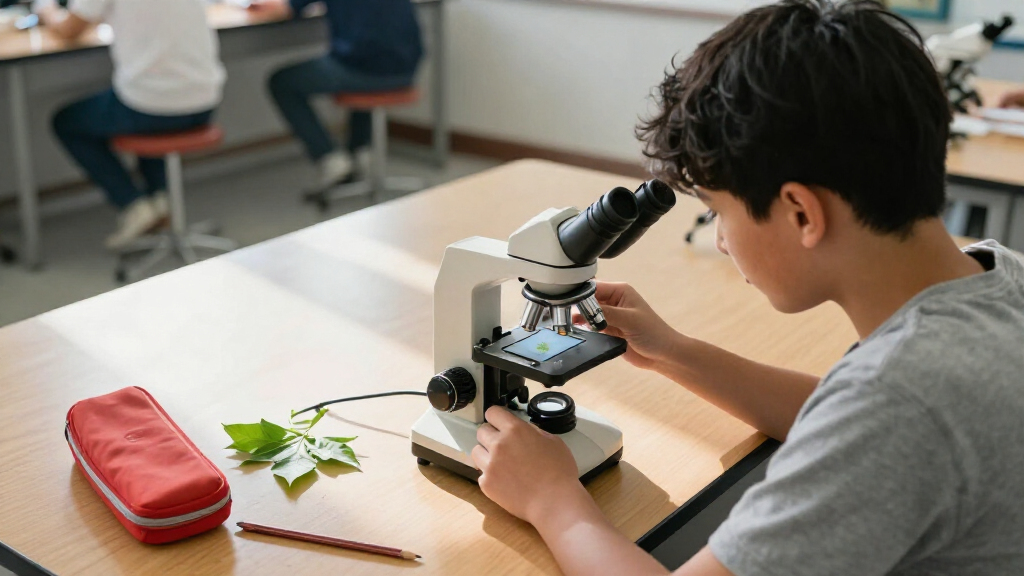
I evaluated these microscopes by focusing on the specific demands of student environments, which differ greatly from professional laboratory settings. My primary criteria included image clarity at common educational magnification levels (100x to 500x), ease of setup for users with minimal technical training, and durability for frequent handling. I prioritized models that offer clear visual output on built-in screens rather than those relying solely on computer connections, as this reduces friction in classroom settings. Additionally, I assessed the versatility of each unit, noting which devices could handle diverse specimens like insects, plant cells, and circuit boards without requiring complex calibration.Factors to Consider When Choosing Digital Microscopes For Students
Selecting a digital microscope for educational purposes goes beyond comparing megapixel counts. Students need tools that withstand frequent use and provide immediate visual feedback without complex software troubleshooting. Here are the key factors that should drive your decision.Magnification Range vs. Image Clarity
Many manufacturers advertise high magnification numbers, such as 1200x or 5000x, but these figures can be misleading if the sensor quality is poor. Optical magnification provides a clear image, while digital zoom often results in pixelated, blurry visuals that offer little educational value. For most student applications, a true optical range of 50x to 500x is sufficient for viewing cell structures and small organisms. I advise ignoring the maximum digital zoom claims and focusing instead on the native resolution of the camera sensor. A 1080p sensor will generally provide sharper details at 200x than a lower-quality sensor stretched to 1000x. Always check if the included software allows for measurement overlays, as this transforms a simple viewer into a scientific tool.Screen Size and Collaborative Viewing
In a classroom or home-school setting, the ability for multiple students to see the specimen at once is vital for engagement. Small 4.3-inch screens often force students to huddle around the device, which can be awkward and inefficient. Larger screens, particularly those 7 inches or bigger, allow for clearer viewing from a slight distance and reduce eye strain. Some advanced models offer HDMI output, which can project the live feed onto a classroom whiteboard or monitor. This feature is particularly valuable for teachers demonstrating techniques to a group. If your primary use case is individual study, a smaller screen may suffice, but for shared learning, screen real estate is a priority.Connectivity and Software Compatibility
Schools often use a mix of devices, from Windows PCs to Chromebooks and iPads. Many digital microscopes require specific drivers that may not work on restricted school networks or newer operating systems. Driver-free operation via USB is a significant advantage, as it allows students to plug in and start immediately. I recommend verifying that the microscope functions as a standard webcam or has a dedicated app that supports your institution’s devices. Wireless connectivity via Wi-Fi can offer flexibility but often introduces latency or connection drops, which can disrupt the flow of a lesson. Wired connections remain the most reliable method for stable, real-time imaging.Durability and Build Quality for Student Use
Student equipment faces rough handling, accidental drops, and exposure to dust or liquids. Glass lenses and flimsy plastic stands are common failure points in budget models. Look for microscopes with reinforced stands and adjustable arms that hold firm without wobbling, as vibration ruins high-magnification images. Metal components in the focus mechanism tend to last longer than plastic alternatives. For younger students, models with rounded edges and sealed lenses are safer and easier to clean. Investing slightly more in build quality can prevent the need for frequent replacements, which is a hidden cost in educational budgets. A sturdy design also aids in focus stability, which is often the most frustrating aspect for beginners.Lighting Control and Specimen Preparation
Proper illumination is just as important as magnification for viewing transparent or reflective specimens. Most digital microscopes include LED lights, but the ability to adjust brightness and color temperature is what separates basic tools from effective scientific instruments. Fixed lighting often washes out details or creates glare on shiny surfaces like coins or circuit boards. Models with adjustable LED rings allow students to highlight specific structures by changing the angle or intensity of the light. Additionally, consider how easy it is to prepare specimens; some digital microscopes work best with opaque objects, while others require slides and cover glasses. A versatile light source ensures the microscope can be used across various subjects, from biology to electronics repair.Frequently Asked Questions
Do digital microscopes require special slides like traditional optical microscopes?
It depends on the type of digital microscope. Handheld or stand-alone digital microscopes typically work best with opaque objects like leaves, insects, coins, and circuit boards, requiring no preparation. However, if you need to view transparent specimens like blood cells or onion skin, you will need traditional glass slides and cover slips, especially if the microscope has a working distance that allows for slide use. Some hybrid models can handle both, but you must check if the lens is designed for close-focus on solid objects or for through-transmission light. For most student science projects involving solid objects, no special slides are needed.Can these microscopes connect to iPads or Chromebooks for student use?
Compatibility varies significantly by model. Many digital microscopes are designed primarily for Windows or Mac and may require specific drivers that are not available for ChromeOS or iOS. Some newer models function as standard UVC webcams, allowing them to plug directly into iPads with a USB-C adapter or Chromebooks without extra software. Always verify the manufacturer’s compatibility list before purchasing if your students use Apple or Chrome devices. If wireless connectivity is required, check if the device has a dedicated app for iOS or Android, as this is often the most reliable way to view images on tablets.Is 4K resolution necessary for a student microscope?
4K resolution provides a sharper image and allows for clearer digital zooming, which is beneficial for detailed analysis. However, for general classroom use, 1080p resolution is often sufficient and more cost-effective. The key is not just the resolution but the quality of the lens and sensor. A high-quality 1080p microscope will often outperform a cheap 4K model with poor optics. If students need to take photos for science fair presentations or detailed documentation, 4K is a worthwhile investment. For casual exploration and basic biology lessons, 1080p will meet most needs without the higher price tag.How do I clean and maintain a digital microscope lens?
Cleaning requires care to avoid scratching the lens coating. Use a blower brush to remove dust first, then gently wipe the lens with a microfiber cloth designed for optical equipment. Never use paper towels, tissues, or household cleaners, as these can leave scratches or residues. If the lens is greasy, use a small amount of lens cleaning solution on the cloth, not directly on the lens. Regular maintenance involves keeping the device in a case when not in use to prevent dust accumulation on the sensor. For models with exposed LED lights, ensure they are wiped clean of any debris to maintain consistent illumination.What is the difference between a digital microscope and a trinocular microscope with a camera?
A digital microscope is a self-contained unit that captures images electronically and displays them on a screen or computer, often lacking an eyepiece. A trinocular microscope is a traditional optical microscope with an additional port for a camera, allowing users to view through the eyepieces while simultaneously capturing images. Trinocular models offer superior optical quality and higher magnification potential but are bulkier, more expensive, and require more technical setup. For students who need to learn traditional microscopy techniques, a trinocular model is better. For quick, easy observation and digital documentation, a dedicated digital microscope is more user-friendly and accessible.Conclusion
Selecting the right digital microscope for students depends largely on the age group, subject matter, and collaborative needs of your environment. For best overall performance and classroom versatility, the Elikliv EM4K stands out with its large screen and 4K clarity, making it ideal for group demonstrations. If you are looking for the best value without sacrificing essential features, the PalliPartners LCD Digital Microscope offers a solid balance of resolution and build quality for general science projects. For beginners and younger students, the HEWEIMEI 1600x provides a simple, durable entry point that minimizes frustration. Those needing precise measurements for electronics or coin collecting should consider the TOMLOV DM4W Max for its built-in scale features. Ultimately, prioritize ease of use and screen clarity over maximum magnification claims to ensure your students stay engaged and focused on their discoveries.Black Friday Picks

Vitamix Propel Series 510 Professional-Grade Blender, Black
As an affiliate, we earn on qualifying purchases.